As of 20 October 2026, sign-up was the first checkpoint our agent could not clear alone at 92 of 147 products we drove (63%). The fix is a separate way in for agents: a documented API, CLI or protocol route they call directly, while your form stays for people. An email form with no bot check also let our agent in, but browser agents such as Claude in Chrome won’t make an account through a form: Anthropic lists creating accounts as a prohibited action, whatever permissions the user gives it (Claude in Chrome permissions guide1).
Our agent got in on its own at 50 of 147 products we drove
As of 20 Oct 2026: our drives of 147 products, 1–20 Oct 2026 · Today's numbers
Data table
| Products | Out of | Share | |
|---|---|---|---|
| Products our agent got into on its own | 50 | 147 | 34% |
The group includes a CRM (Attio), a form builder (Tally), a database (Neon, through its no-account route) and a team chat (Zulip); each page has its drive, and how we drive has the checkpoints. At Attio and Tally the email sign-up showed no bot check, and what it asked for next, a temporary password at Attio and a code at Tally, arrived by mail. Both make API keys only in the web app’s settings; the key had to be copied from a dashboard in a browser at 31 of 147 products. Mattermost needed a browser for its sign-up form and emailed code; our agent then made a personal access token over its API with the account’s email and password. Zulip needed a browser only for an invisible ALTCHA proof-of-work that cleared on its own, and its API key came over the API. At 8 of 147 products our agent got in on some recent drives and not on others, Apify among them.
If your product is outside this group, start with sign-up. Our agent signed up on its own at 41 of 147 products, and in a browser at 36 of 147. Sign-up needed a human at 64 of 147 and blocked our agent outright at 28 of 147. The step-by-step counts are in can AI agents sign up, and the bot checks behind them are in which bot checks stop AI agents.
A sign-up call with no browser already works
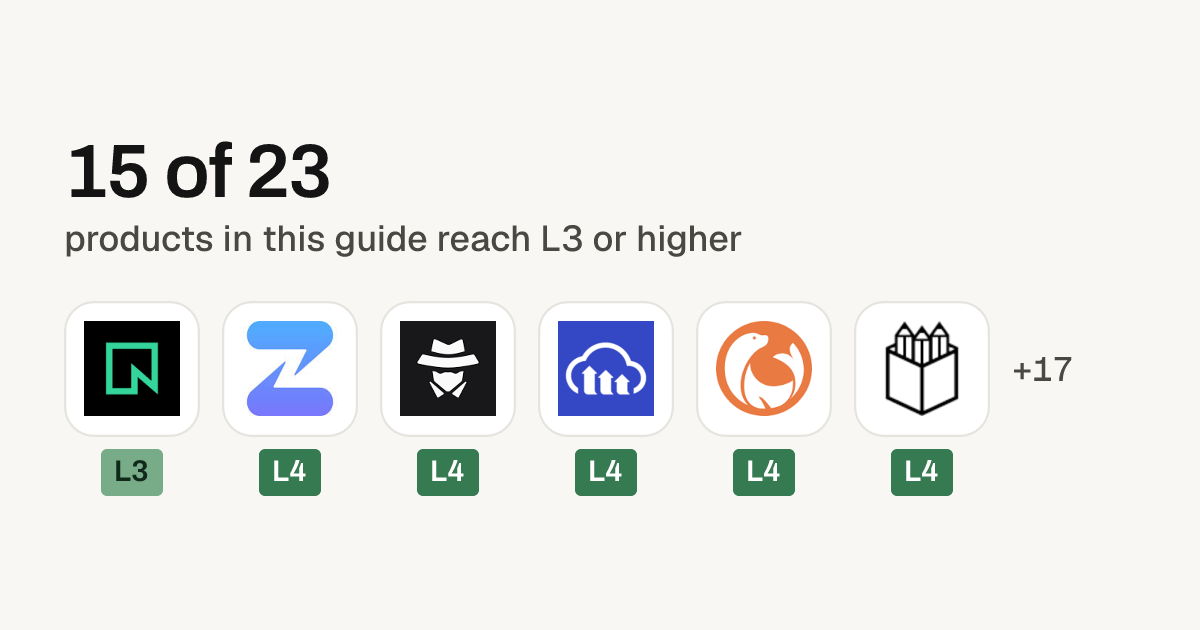
At 5 of 147 products, AgentMail, Cloudinary, DocuSeal, Penpot and SignWell, our agent ended up with a working account without opening a browser. At AgentMail the route is a sign-up endpoint made for agents, and at Cloudinary it is one unauthenticated API call that returns a working cloud and its keys; at DocuSeal and SignWell it is the product’s public sign-up form, submitted without a browser. Stripe returned a test sandbox with keys from stripe sandboxes create, with no account, and Shopify made a preview store from its CLI the same way. Anchor Browser hands out an API key with no account after a short text puzzle over HTTP, and Vercel gave a temporary deployment and its token through vercel deploy --temporary. Railway gives a project token with no account through an anonymous box it hands out, though its account sign-up shows a visible Cloudflare Turnstile.
As of 20 Oct 2026: our drives of 147 products, 1–20 Oct 2026 · Today's numbers
Data table
| Products | Out of | Share | |
|---|---|---|---|
| Signed up without a browser | 5 | 147 | 3% |
- AgentMail: an unauthenticated POST to its agent sign-up endpoint, with a human’s email and a username, returned an organization, an inbox and an API key in a single response. Its llms.txt opens with these steps.
- Cloudinary: an unauthenticated POST to its provisioning endpoint returned a working cloud, its key and secret, and a claim link a human can open later.
- DocuSeal: no phone asked and no challenge shown. The account worked straight away, and its API key came after an emailed code.
- Penpot: an account our agent made in the web form invited a second one. Our agent registered and activated that second account over Penpot’s API, with the token from its verification email.
- SignWell: a Business trial started with no card.
AgentMail’s exchange suits a product where a new account can reach other people. The key works immediately, but until the code emailed to the attached human comes back, it can send only to that address and cannot create more keys. Cloudinary’s claim link is the other pattern: use first, a human keeps it later.
 On recordAgentMailEmail infrastructureL4Runs on its own
Our AgentMail drive also hit steps an owner can fix:
- A 403 after verify. The first scoped-key call after a successful verify was refused, with a clear note to wait for permissions to update. Fix: lift restrictions synchronously on verify, or return a distinct status code with
Retry-After. - No account delete. Our agent found no route to delete the organization. It removed every inbox, webhook and key, and the empty organization stayed. Fix:
DELETE /account.
The onboarding API to ship starts with one call that returns a restricted key
Where our agent got as far as the key, it got one on its own at 46 of 54 and could not get one at all at 2 of 54. Put the limits on the unverified account, not on sign-up:
POST   /agent/signup      → 201 { account, credential (never shown again), restrictions[], next[] }
POST   /agent/verify      → the code from the human's email lifts the restrictions
POST   /agent/claims      → a claim link for a human who prefers to sign in
GET    /agent/status      → what is still restricted, why, and how to lift it
POST   /api-keys          → scoped keys, never more than the parent's rights
DELETE /api-keys/{id}     → revoke, effective immediately
DELETE /account           → the agent can always leave
Return the secret only in the typed credential field, never inside free-text instructions. MotherDuck’s how_to_use_motherduck field shows the clean version: instructions for the agent, no secret (MotherDuck’s agent sign-up docs2).
Return no key for a repeated sign-up with an email that already has an account: answer with a generic check-your-email response, and rotate keys only from an authenticated session. Keep your bot check on the web form and leave /agent/* out of it; the limits on the unverified account do that job there.
These endpoints are the minimal shape. auth.md, which WorkOS published as an open protocol for agent registration, is the published version of the same restricted-key-then-claim flow: a service puts a Markdown file at /auth.md beside standard OAuth metadata (WorkOS launch post3). A 401 points the agent to /.well-known/oauth-protected-resource (RFC 9728), and the authorization server’s metadata carries an agent_auth block with the identity and claim endpoints. Its anonymous identity type issues a credential with pre-claim scopes at once, and a human can claim the account later.
The spec changed after launch, from /agent/auth to /agent/identity, so read the live agent_auth metadata (the auth.md repo4). Its identity-assertion type rests on ID-JAG, still an IETF draft, not an RFC (the draft5).
Claimable Neon uses the anonymous type (Neon’s Claimable Neon page6). With no account and no human, our agent created a project, ran SQL and deleted it. Branching waits for a human claim, and Neon’s own account sign-up put a Cloudflare challenge in front of our agent, which signs with Web Bot Auth but was on no provider’s verified list during these drives.
 On recordNeonDatabasesL3Does the work
Where our agent reached verification, it verified on its own at 36 of 41
As of 20 Oct 2026: our drives of 147 products, 1–20 Oct 2026 · Today's numbers
Data table
| Products | Out of | Share | |
|---|---|---|---|
| Verified on its own, where it got that far | 36 | 41 | 88% |
Our agent verified without a browser at 10 of 41, and verification stopped it at 5 of 147 products. When the code is resent, send a new code and leave the key as it is.
If you send a link, make a click spend it, not the page load. At Fillout the link opens a page with a Verify email button, and a plain GET does not verify; our agent finished with that click in a browser. At PlanetScale, opening the link with a plain HTTP request verified the account. Put a code beside the link so an agent can finish without the page.
Ask for email before any phone. Help Scout asked for an SMS code before the account existed, and Teamwork.com and Zendesk required a phone number in the sign-up form; our agent had none. Browserbase requires one too, and its API keys exist only behind that account. Keep phone checks for the features that need them, after the account exists.
The free check shows the wall an agent would likely hit at your product
Run the free check on your product.
If the wall it names is your sign-up form, ship the agent sign-up call and the verify-by-code endpoint above.