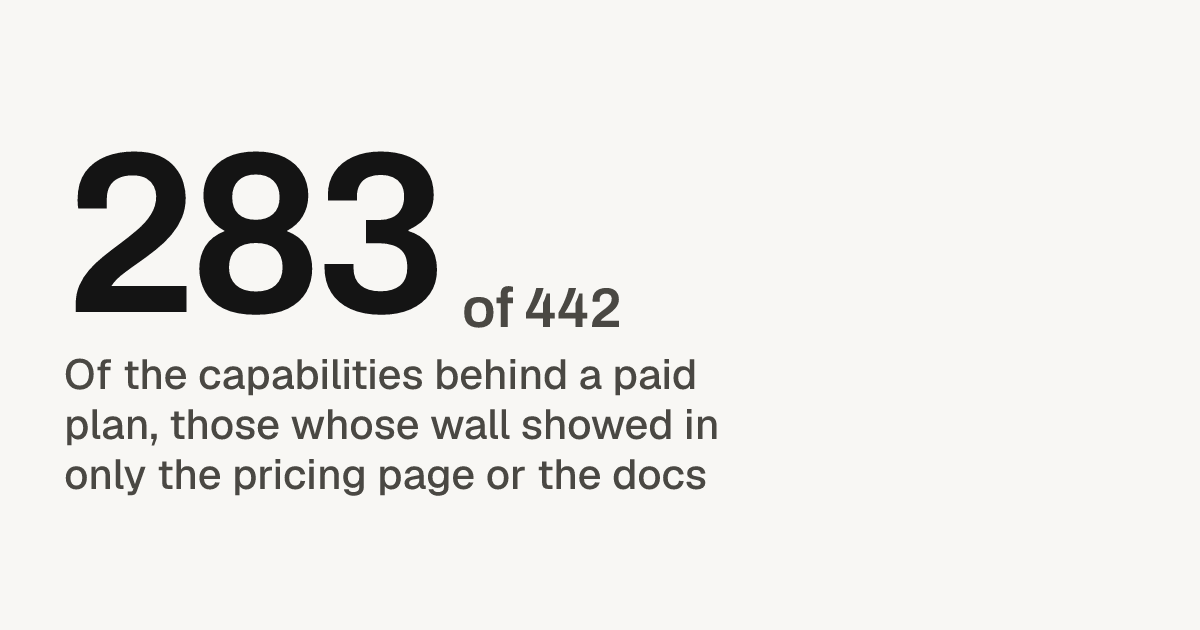
283 of 442 paid-plan capabilities our agent hit showed the wall only on the pricing page or in the docs, never in the API answer. They sat at 84 of 201 products we drove. The fix: return 402, or your existing 403, with a Problem Details body that names the required plan and links to the upgrade page (RFC 9457[1]).
Where the wall showed: the API answer or the pricing page
Per capability, 113 of 442 got an API answer that named the plan. By product, each counted by the clearest signal it gave, 33 of 84 named the plan, payment or limit in the API answer, 14 of 84 gave a refusal that never said a paid plan was needed, and 37 of 84 showed the wall only on the pricing page or in the docs.
| How the wall showed | Capabilities | Products |
|---|---|---|
| Named in the API answer | 113 of 442 | 33 of 84 |
| Refusal, no plan named | 46 of 442 | 14 of 84 |
| Pricing page or docs only | 283 of 442 | 37 of 84 |
What an agent needs at the wall, step by step
An agent needs three things in the answer itself: a status code that says payment is the barrier, the name of the plan it needs, and a link a person can open to upgrade.
- The status code. 402, or 403 where existing clients depend on it. Never 401, which an agent reads as a key error and answers by trying another key: 38 of 442 gated capabilities answered 401.
- A machine-readable problem type. Send the body as Problem Details with the media type
application/problem+json. Itstypemember is a URI reference that names the problem, so one stable “plan required” URI lets an agent branch on it without parsing prose (RFC 9457[1]). - The current and the required plan. Problem types may add their own extension members, which is where
current_planandrequired_plango. The agent can then tell its human exactly which plan to buy. - A detail line for the person who approves the upgrade. The
detailmember is a human-readable explanation of this occurrence. Write it so the agent can pass it on as is: what was blocked and what it takes to get it. - The upgrade URL, twice. Put it in the body as an extension member, and in a Link header, which RFC 8288[2] defines for links in HTTP headers. A client that only reads headers still finds it.
- The gated endpoints in your docs or OpenAPI spec. The pricing page or docs were the only signal for 283 of 442 gated capabilities. Keep them, and add the API answer.
An example answer, built only from standard members plus extension members:
HTTP/1.1 402 Payment Required
Content-Type: application/problem+json
Link: <https://example.com/upgrade>; rel="payment"

{
 "type": "https://example.com/probs/plan",
 "title": "This feature needs a paid plan",
 "detail": "Exports need the Team plan.",
 "current_plan": "Free",
 "required_plan": "Team",
 "upgrade_url": "https://example.com/upgrade"
}
402 or 403: what the standards allow for a plan wall
Use 402 for a paid-plan wall and carry the meaning in a Problem Details body. The standard reserves 402 without defining it, so the body, not the code, is what an agent can rely on.
RFC 9110[3] says: “The 402 (Payment Required) status code is reserved for future use.” For 403 it says: “The 403 (Forbidden) status code indicates that the server understood the request but refuses to fulfill it.” MDN[4] adds that “No standard use convention exists and different systems use it in different contexts,” and that “Actual implementations vary in the format and contents of the response.” RFC 9457’s own billing example, an out-of-credit problem, is returned with 403 and the type https://example.com/probs/out-of-credit.
In our drives, 20 of 442 gated capabilities answered 402 and 41 of 442 answered 403. Both codes have support, so the choice comes down to your clients:
- New endpoint or new API version: return 402 with a plan-required problem type. The code names payment as the barrier and the body says which plan.
- Existing clients parse 403: keep 403 and add the same
type,required_planandupgrade_urlmembers, so a 402 and a 403 read the same to an agent.
Good and bad answers from public behaviour
A good wall answer names what blocks the call and what a person must do. A bad one is a bare status the agent cannot tell from a key error.
Good: tells a person what to do. Shopify[5] documents 402 for a frozen shop and says: “The shop owner needs to log in to the shop’s admin and pay the outstanding balance to unfreeze the shop.” An agent can relay that line and stop retrying.
Mixed: a retry code for a condition only payment fixes. OpenAI[6] documents a 429 error with the code credit_balance_exhausted: “Your organization has no prepaid credits remaining.” Used-up credits don’t clear with time. A plan wall should not borrow 429 at all, because waiting never opens it.
Bad: a bare 403 with no body.
HTTP/1.1 403 Forbidden
Content-Length: 0
The agent cannot tell a missing scope from an expired key from a plan it does not have.
Checklist for a paid-plan wall an agent can act on
Return 402, or your existing 403, with an application/problem+json body that has a plan-required type, the required plan, a detail line for the person and an upgrade URL, plus a Link header. List gated endpoints in your docs.
- Status 402, or 403 where existing clients depend on it
Content-Type: application/problem+json- A stable
typeURI for “plan required” current_planandrequired_planas extension members- A
detailline written for the person who approves the upgrade - An
upgrade_urla person can open in a browser - The same URL in a Link header
- Not 401 and not 429 for a plan wall
- Gated endpoints marked in your docs or OpenAPI spec
How we test it
Our drives ran from 1 October 2026 to 1 November 2026. At each product our agent tried the capabilities it found and recorded, for every one behind a paid plan, the status code and where the wall showed: in an API answer that named the plan, in a refusal that never said a paid plan was needed, or only on the pricing page or in the docs. Each product is also counted once, by the clearest signal it gave. The method is on how we drive.
What to do this week
Call one gated endpoint with a free-plan key and read the raw answer. If it has a status and nothing else, add a Problem Details body with type, required_plan and upgrade_url. Then check that the docs page for that endpoint names the plan it needs. For the rest of your errors, see Write API errors an AI agent can act on.